

Description
This section will guide the admin through generating a monthly stock report on the Louman Website.
Prerequisites
• Admin must be logged into the system
Generate monthly stock report process
Step 1 Select the monthly stock report option on the side bar.
Step 2: Select a month from the calendar search bar and click the get report button on the monthly stock report screen.
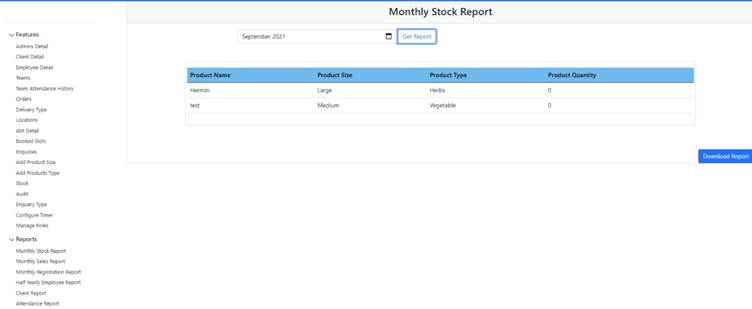
Step 3: Click on the generate report button.
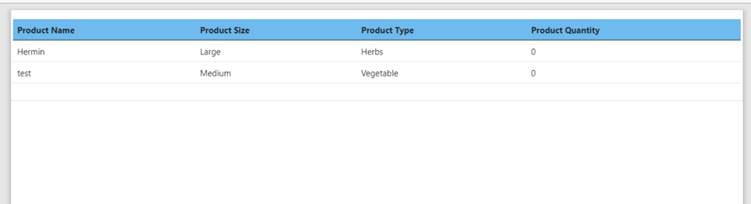
Step 4 : Click on the report download displayed at the bottom of the screen. The monthly stock report pdf will display.
Exercise
• Click the calendar search bar and select a month to generate a report for.
• Click the get report button
• Click the generate report button.
• Open the downloaded report on the bottom left of the screen to open the pdf.
Summary
You have now learnt how to download a monthly stock report successfully.
This document is created with Softany WordToHelp trial version. (The registered version will not show this message!)