

Description
This section will guide the admin through searching an employee on the Louman Website.
Prerequisites
• Admin must be logged into the system
• Employee must exist on the system
Searching of an employee process
Step 1: Select the Employee details option on the side bar.
Step 2: Click on the Search bar on the Employee detail screen.
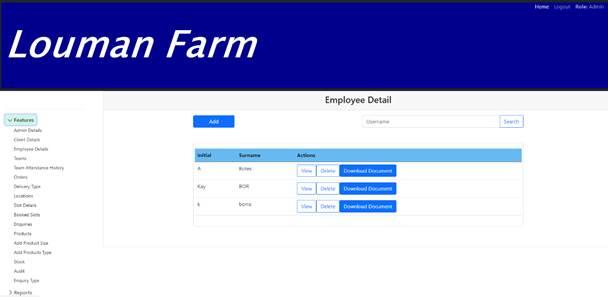
Step 3: Input the search criteria.
Step 4: Click on the search button to proceed with the search.
Exercise
• Click on the Search bar on the Employee detail screen.
• Type in the search criteria based on the employee username
|
Field |
Test Data |
|
Username |
JSmith |
• Click on the search button.
Summary
You have now learnt how to search an employee successfully.
The search function searches for any record that matches the search criteria within Employee table.
This document is created with Softany WordToHelp trial version. (The registered version will not show this message!)