

Description
This section will guide the client through viewing their placed orders on the Louman Website.
Prerequisites
• Client must be logged into the system
View placed orders process
Step 1: Click on the Orders page on the sidebar.
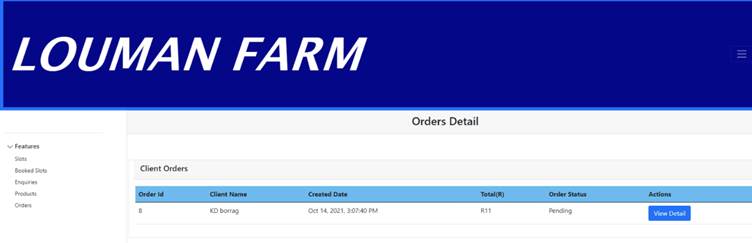
STEP 2 : Select the view detail button in the client order table.
Exercise
• Click on the Orders page on the sidebar to view placed orders.
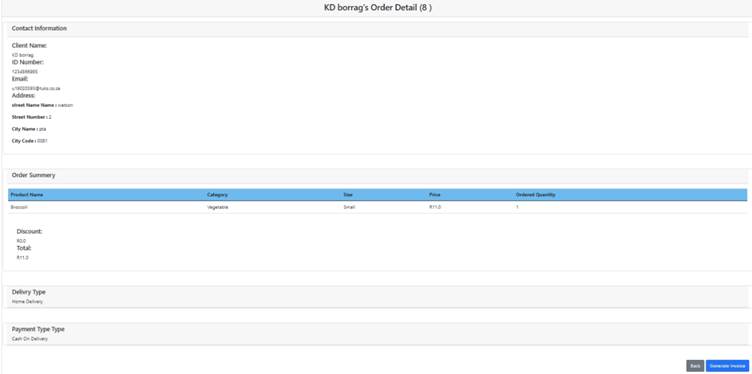
• Click on the view detail button
Summary
You have now learnt how to view placed orders on the Louman system.
This document is created with Softany WordToHelp trial version. (The registered version will not show this message!)